 Pixelkin
Game item icons that match your whole inventory
Potions, weapons, materials, keys, one line each. The item preset locks a 16-colour palette and a 1-pixel outline on a 32 px grid, so icon number 80 uses the same colours as icon number 1.
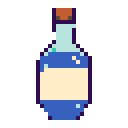
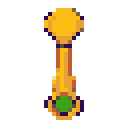
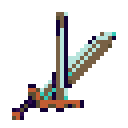
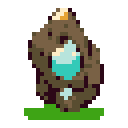
Finished icon packs on itch.io cost €3 to €15 and never contain exactly your items. Commissioning 80 icons costs more than most indie budgets allow. This sits in between: you write the list, the preset sets the style, and the style cannot drift between item 1 and item 80 because the palette is locked and the outline is drawn by code rather than by the model.
What it does not do: tilesets, characters, animation. It makes single objects on a transparent background. For those, PixelLab and Retro Diffusion are the tools to look at.
Palettes for items
The default is Ember 16, a dark-fantasy set. Swap to Kin 16 for a brighter look, or paste your game's palette. If you already have a few hand-drawn icons, convert one on the converter, pick it first and choose “Match my picks” so the generated ones follow your colours.
If you sell the game on itch.io, tag it as using AI-generated assets; itch.io requires the disclosure for assets, and the PNGs carry the label in their metadata anyway.
Questions people ask
What grid size for item icons?
32×32 is the classic inventory size and the default. 16 for very small UI, 64 if your game shows items large. All three are options in the preset.
Can I keep my own palette?
Yes: paste hex colours, or pick an existing icon first and choose “Match my picks”.
Does this make tilesets or sprites?
No. Single objects only.
Can I sell a game that uses these icons?
Yes. Whatever rights exist in the outputs are yours. Disclose AI use where the store asks for it (itch.io does for asset packs; Steam asks on submission).